Suite Calendar App: How to Protect Your Booking Blocks
By Laz · September 16, 2026

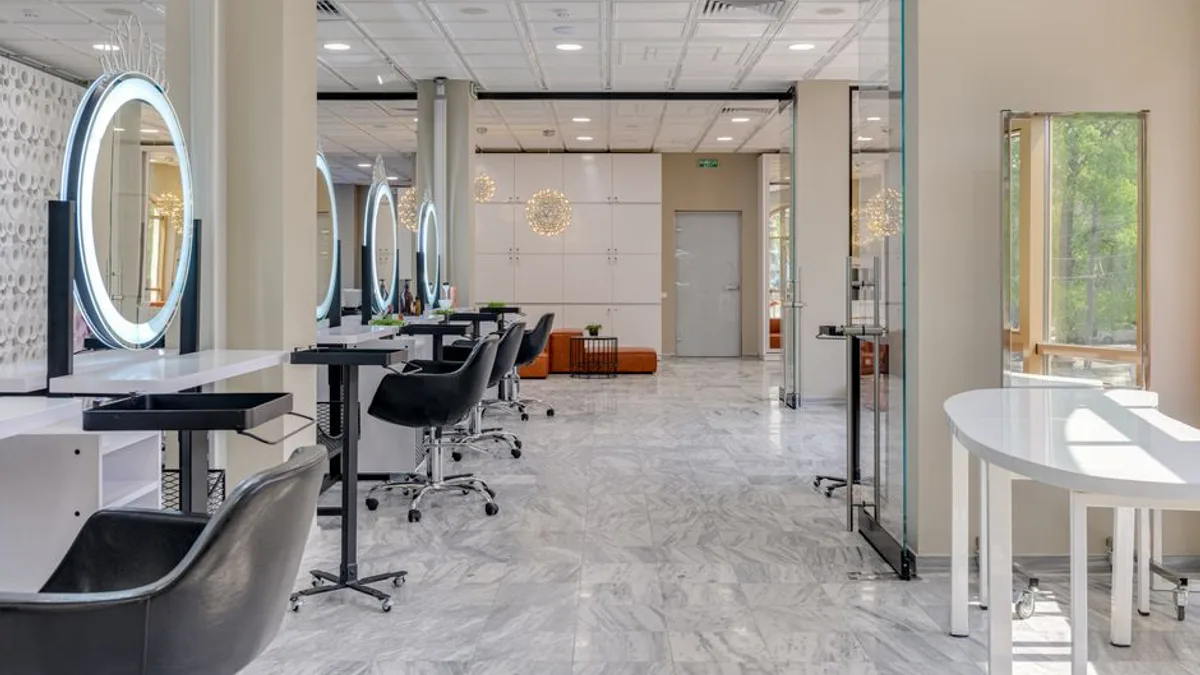
Photo by cottonbro studio on Pexels
If you rent a booth or run a suite, your calendar is your income. But a normal calendar app just shows you what your day looks like. It does not protect your time. A 30-minute brow wax can land right in the middle of a 3-hour color block, and suddenly your most profitable service of the day is fragmented into two awkward halves. That is the problem we built Chairwarden to solve.
The core feature is calendar protection. It stops short bookings from breaking up long blocks. If you have ever lost money to a fragmented schedule, this is the fix you have been looking for. Here is how it works, what it costs, and how to set it up so you actually fill your chair.
Why a Suite Calendar App Is Different from a Normal Calendar
A normal calendar app treats every slot equally. A 15-minute trim and a 3-hour balayage are just two entries on a grid. That works fine for a personal schedule. It fails completely for a service business.
Think about what happens without protection. A client books a 30-minute eyebrow wax. The system places it at 1:15 PM. Your 3-hour color block runs from 12 PM to 3 PM. Now that block is broken. You cannot start a new color client at 2 PM because you have to stop at 3 for the wax. You lose 30 minutes of productive time, and the client gets a rushed service.
This is the fragmentation problem. It is the biggest scheduling issue for booth renters and suite operators. We see it constantly. Someone books a full day of color services, then a quick trim slips in the middle, and the whole day collapses into chaos.
Chairwarden's calendar protection solves this directly. The booking logic checks the length of every service against the blocks you have already reserved. If a short service would land in the middle of a protected long block, the system simply does not offer that time slot to the client. They see a different time, or a different day, and your block stays intact.
This is not a minor convenience. It is the difference between a calendar that works for you and a calendar that works against you. If you want a deeper look at how this fits into the broader landscape of suite booking tools, we wrote a guide on salon suite booking software that covers the full picture.
The Two Ways to Protect a Block: Strict vs. Relaxed
Protection is not one-size-fits-all. That is why Chairwarden offers two modes, and you choose which one applies to each service type.
Strict mode never allows fragmentation. If you mark a 3-hour color block as strict, no short service can be booked into it. Period. The block stays whole, no matter how many people try to book around it. This is what you want for your longest, most profitable services. A color client is paying for your full attention, and you cannot give it if you are watching the clock for an eyebrow wax.
Relaxed mode is more flexible. It allows a short service at the edges of a block, as long as it does not meaningfully break the block into pieces. So a 20-minute brow wax could land at 11:40 AM, right at the end of a block that runs until 12 PM. The block is not really fragmented. You finish the wax, then start the color client on time.
This matters more than you might think. If you leave everything in strict mode, you lose the ability to fill edge slots. Those small gaps at the start and end of a block are dead time anyway. Relaxed mode turns them into revenue.
You set the mode per service type. Color gets strict. A quick add-on like a brow wax or a trim gets relaxed. The system knows the difference and applies the right rule automatically.
This is not a theoretical feature we added for marketing reasons. It is the main reason people switch from a generic scheduler. Once you have worked with protected blocks, going back to a flat calendar feels like going back to a paper appointment book.
Google Calendar Sync That Actually Respects Your Life
Your work calendar is not the only calendar you have. You have a dentist appointment at 2 PM. Your kid has a soccer game on Saturday. You need a haircut yourself, and you want to book it during a slow hour.
A generic scheduler does not know about any of that. It will happily book a client at 2 PM on the day of your dentist visit. Then you have to call the client, apologize, and reschedule. That is the worst part of this job, and it is completely avoidable.
Chairwarden's booking logic checks your connected Google Calendar. If you have a personal event at 2 PM, that slot is closed to clients. No overlap, no awkward phone calls, no rescheduling chaos.
The sync works both ways in practice. Client bookings show up on your phone through the Google Calendar app, so you see your whole day in one place. And your personal events automatically block the public booking page, so clients never even see the option to book a time you are unavailable.
This one feature saves you the "I forgot I had a doctor's appointment" conversation. You know the one. It is embarrassing, it costs you a client's trust, and it is entirely preventable.
We wrote a practical guide on protected calendar blocks for stylists that goes deeper into how to use this without losing clients. The short version: connect your personal calendar first, then let the system do the work.
What the Free Tier Really Includes, and What It Costs
Let us talk about money. That is the question everyone actually wants answered.
The free tier of Chairwarden gives you up to 15 bookings per month. No credit card required. Calendar protection works from the very first booking. That is not a trial. It is a usable plan for someone who is just starting out or who only takes a handful of clients each month.
If you are busier than that, the paid plan is $29 per month for unlimited bookings. Or you can pay annually and get it for $23 per month. That is the same service, just billed once a year instead of monthly.
The paid plan also includes 500 SMS reminders per month. For a solo suite operator, that is plenty. Most of your clients will book, get a reminder, and show up. You are not running a high-volume call center.
Compare that to other scheduling apps. Many charge $30 to $50 per month for similar features, and they nickel-and-dime you for SMS credits on top of that. Most scheduling apps charge more for less. The free tier here is not a teaser. It is a real tool that works.
For a breakdown of what other salon software actually costs and what you should skip, we put together a guide on salon booking software costs that is worth reading before you commit to anything.
Workflow Features That Go Beyond Booking
Booking is the core, but it is not the whole business. If you rent a booth, you are running a small business. That means deposits, no-shows, client lists, and knowing which services actually make you money.
Chairwarden has a Stripe-powered deposit system. You can take a deposit at the time of booking, or set up an automatic no-show fee. This is not complicated to configure. You set a percentage or a flat amount, and the system handles the rest.
No-shows are brutal for booth renters. A single no-show on a color service can wipe out your entire day's margin. A deposit does not eliminate no-shows, but it cuts them down dramatically. When a client has money on the line, they show up.
The import wizard pulls client lists from existing tools like Vagaro and Square. If you have been running your business on one of those platforms, you do not have to re-type every client name, phone number, and service history. You import the list, and you are ready to go.
The stats dashboard shows revenue, utilization, and top services. This is where you see which services fill your calendar and which ones are dragging. Maybe your 2-hour balayage is always booked, but your 1-hour gloss service sits empty. The data tells you that, so you can adjust your marketing or your block lengths accordingly.
These are the tools a booth renter needs to run a business, not just take appointments. If you want to see what else matters beyond the booking itself, our article on salon calendar apps covers the full list.
How to Set Up Your Suite Calendar for Maximum Utilization
Setting up Chairwarden takes about 15 minutes. Here is the order we recommend.
Start with Strict mode for your longest services. Color, extensions, anything that takes 2 hours or more. These are your money makers, and they need protection.
Then switch to Relaxed for short add-ons. Brow waxes, trims, quick consultations. These can fill edge slots without breaking a block. This is where you pick up extra revenue you would otherwise lose.
Connect your Google Calendar first, before you do anything else. That prevents personal events from becoming overbookings. If you skip this step, you will double-book yourself within a week, and you will blame the software instead of the missing sync.
Use the import wizard to move your existing clients in. This takes a few minutes and saves you hours of typing. Then set up deposits for new clients. High-value services like color should have a deposit requirement from day one.
Check the stats dashboard weekly. Look at your utilization numbers. If a 2-hour block is consistently empty, shorten it to 90 minutes and see if that fills. If a 1-hour slot is constantly overbooked, extend it. The data is right there, and it will tell you exactly what to change.
One note on pricing strategy: if you are unsure what to charge for your services, we wrote a guide on salon pricing for 2026 that walks through the math. It pairs well with the utilization data in the dashboard.
Common Mistakes When Using a Suite Calendar App
We have watched people set up this system and then make the same mistakes over and over. Here are the four big ones, and how to avoid them.
Mistake 1: Leaving all services in Strict mode. This is the most common error. You are protecting your color blocks, which is good. But you are also protecting your 30-minute slots, which means you cannot fill a 20-minute gap at the edge of a block. You lose revenue to rigidity. Use Relaxed mode for short services. That is what it is for.
Mistake 2: Not syncing a personal calendar. You set up the booking page, you share the link, and then you book a dentist appointment on your phone without thinking about it. The booking page does not know about the dentist. You end up double-booked anyway, which defeats the entire purpose of the tool. Connect your Google Calendar on day one, and keep it updated.
Mistake 3: Ignoring the utilization data. The stats dashboard gives you revenue, utilization, and top services. Most people never look at it. They keep a 2-hour block that nobody books, while a 1-hour slot is perpetually overbooked. The data would tell them to adjust, but they never check. Look at the numbers weekly. It takes two minutes.
Mistake 4: Skipping deposits for high-value services. A no-show on a $200 color service costs you more than the service itself. It costs you the time you could have booked someone else. A deposit does not guarantee attendance, but it dramatically reduces no-shows. Set it up once and forget about it.
There is a broader version of this problem, and it costs booth renters real money. We wrote about it in a piece called the Swiss cheese calendar problem. If you have ever looked at your week and seen holes everywhere, that article is for you.
The takeaway is simple: the tool works if you set it up right. The mistakes above are all avoidable. They come from rushing the setup or ignoring the features that are already there.
If you are renting a booth or running a suite, your calendar is your most valuable asset. A generic scheduler will show you your appointments. Chairwarden protects the time that makes you money. That is the difference.
Set up the free tier, connect your Google Calendar, and put your color blocks in Strict mode. See how it feels to run a week without a fragmented schedule. You will not want to go back.
Frequently Asked Questions
What is a suite calendar app?
A suite calendar app is a booking tool built for salon suite renters and booth renters. It handles client bookings and syncs with your personal calendar. The key difference is calendar protection, which stops short services from splitting up long blocks.
Can I still take a walk-in appointment if I have a long block protected?
That depends on the mode. In Strict mode, no. In Relaxed mode, yes, if the walk-in fits at the edge of the block without breaking it into pieces. You control which mode each service uses.
Does a suite calendar app sync with Google Calendar?
Yes. Chairwarden syncs with Google Calendar, and the booking logic respects your personal events. If a time is busy on your Google Calendar, it is not bookable by clients.
How much does a suite calendar app cost?
Chairwarden has a free tier with up to 15 bookings per month. Paid plans start at $23 per month billed annually, or $29 month-to-month, and include unlimited bookings and 500 SMS reminders.
On Chairwarden
Salon suite software
Written for a suite renter paying rent whether the chair is full or not.
Read the full page