Hair Salon Appointment Booking App: How Calendar Protection Stops One Short Cut From Splitting a 4-Hour Color Block
By Laz · September 20, 2026

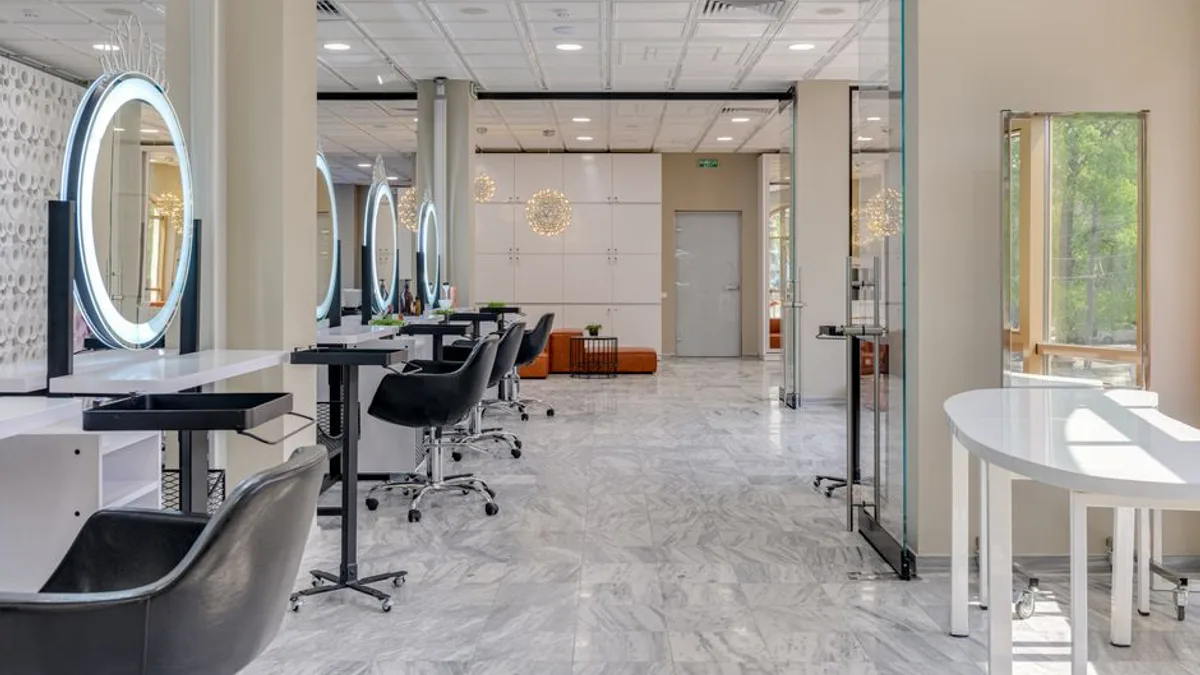
Photo by Gustavo Fring on Pexels
Most booking apps treat every open slot as equal. That's the whole problem. A client sees a 30-minute gap at 1:00 PM, books a quick trim, and now your 4-hour color block is split in two. You can't take the color job anymore. The software didn't know the difference between a $40 cut and a $400 color. It just filled a hole.
Chairwarden fixes this with calendar protection. When you mark a block as protected, the app hides any slot that would fragment it. That 30-minute cut can't split your 4-hour color window. The client booking online never sees the option in the first place. No awkward phone call. No "sorry, that time's taken" when it isn't.
If you rent a booth or work a solo suite, this is the difference between a calendar that holds and one that leaks money all week.
The real problem: your calendar gets chopped into pieces
Here's the mechanism. Most booking tools sort open slots by time and show them all. They don't know which blocks are worth more. So a 30-minute cut lands in the middle of a 4-hour color window and splits it. Now you can't book that color at all. That's lost income, and it happens because the software treats all open slots as equal.
The math gets ugly fast. One split block kills a single appointment. But it happens every week. The Swiss cheese calendar problem is what happens when small bookings nibble away at the gaps between your big ones until there's nothing left to schedule.
Chairwarden's fix is simple. You mark a block as protected. The app hides any slot that would fragment it. A 30-minute cut can't split a 4-hour color block. The client booking online never even sees the option.
This matters most for booth renters and solo-suite stylists. You don't have a front desk watching the book. You are the front desk. If the software doesn't guard your blocks, you lose the gap between two short services and the long appointment that would have paid more. There's no receptionist to catch it. There's just you, at 9 PM, looking at a schedule that's already broken.
How it works: 2-minute setup, two blocking modes, Google Calendar as a hard line
Setup takes about 2 minutes. You tell Chairwarden how long a quick service takes and how long a long one takes. That's it. No complex rules engine. No dropdowns for every service you offer. The app uses those two numbers to protect your blocks from the first booking.
Then you pick how strict you want it.
- Strict mode never allows fragmentation. If a short service would split a protected long block, it's blocked. Full stop.
- Relaxed mode allows a short service at the edges of a block when it wouldn't meaningfully fragment it. You still get the long appointment. You just also get the trim before it.
You pick the behavior that matches how you actually work. Some stylists want zero gaps, even if it costs them a few small bookings. Others want to fill the edges. Both are valid. The point is you decide, not the software.
Google Calendar sync is a hard constraint, not a nice-to-have. Events from your connected Google Calendar are always respected. You cannot be double-booked over your personal calendar. If your kid's dentist appointment is on Google, Chairwarden won't let a client book over it. That sounds obvious. It isn't. Plenty of tools treat your personal calendar as a suggestion. This one treats it as a wall.
If you've ever tried to bolt protection onto a generic scheduler, you know it usually means manual blocks and constant checking. Using protected calendar blocks without losing clients is a real skill. Chairwarden just builds it in.
What it costs and what you get: free tier, paid plan, no percentage cut
The free tier includes calendar protection from the first booking. No credit card required. You get up to 15 bookings per month, a public booking page on your own link, and email reminders.
That's enough to test whether protection actually saves your long blocks. Run it for a month. Count how many 2+ hour appointments you kept that you would've lost otherwise. If the answer is zero, stay free. If it's not, you'll know.
The paid plan is $29/month, or $23/month billed annually. It includes unlimited bookings and 500 SMS reminders per month. Email reminders come standard. SMS is on the paid plan.
Here's the part that matters when you rent a booth:
- No percentage cut.
- No per-booking fees.
- You keep what you charge.
The pricing is the pricing. When you're renting a booth, every percentage point comes straight out of your pocket. A 2.6% cut on card payments sounds small until you run $8,000 a month through it. That's $208 gone. Every month. For nothing you can point to.
If you want to see how those numbers stack up against what you're paying now, what salon booking software actually costs breaks it down line by line.
| Free | Individual | |
|---|---|---|
| Price | $0 | $29/mo or $23/mo annually |
| Bookings | Up to 15/month | Unlimited |
| Calendar protection | Included | Included |
| Public booking page | Yes | Yes |
| Google Calendar sync | Yes | Yes |
| Email reminders | Yes | Yes |
| SMS reminders | No | 500/month |
| Percentage cut | None | None |
| Credit card to start | No | No |
Why this beats a generic booking tool for booth renters
Generic tools optimize for filling slots. Chairwarden optimizes for protecting the blocks that pay your rent. That's the whole difference.
If you do a lot of color, extensions, or any service that takes 2+ hours, fragmentation is the quiet killer of your week. It doesn't show up as a missed call. It shows up as a Tuesday with four 30-minute gaps and no room for the balayage that would've covered your booth rent.
The import wizard brings your client list from Vagaro, Square, GlossGenius, or Schedulicity. You see a preview before anything moves. No blind data migration. No "where did my clients go" moment. You look at what's coming over, confirm it, and it moves. That's it.
The public booking page lives on your own link. Clients book themselves. You don't trade texts all day. And because the app respects your Google Calendar and your protected blocks, you don't come back to a schedule that's already broken.
There's a broader point here about what salon calendar apps should actually do. Most of them stop at "here's your availability." The ones that hold up over time are the ones that understand not all availability is equal.
The bottom line
You don't need more bookings. You need the right ones to fit without breaking the ones that pay more. That's not a scheduling preference. It's your income.
Chairwarden does one thing well: it stops short services from splitting the long, high-value blocks on your calendar. Two-minute setup. Two blocking modes. Google Calendar as a hard line. Free to start, no card, calendar protection from the first booking.
If you want to see whether it saves your long blocks, start on the free tier. Fifteen bookings a month is enough to find out.
Frequently Asked Questions
Can a short service split my long appointment block?
In Strict mode, no. The app hides any slot that would fragment a protected long block. In Relaxed mode, a short service can land at the edges if it doesn't meaningfully break the block. You choose the mode.
Do I need a credit card to try it?
No. The free tier includes calendar protection, a public booking page, and email reminders, with up to 15 bookings per month. No card required.
Does it sync with Google Calendar?
Yes, two-way sync. Events from your connected Google Calendar are always respected. You cannot be double-booked over your personal calendar.
Can I import my client list from another booking app?
Yes. The import wizard brings your client list from Vagaro, Square, GlossGenius, or Schedulicity. You see a preview before anything moves.
On Chairwarden
Salon booking app
The whole product in one page: protection, reminders, deposits, your own booking link.
Read the full page