Salon Appointment Booking Software: What Actually Matters for Booth Renters
By Laz · September 21, 2026
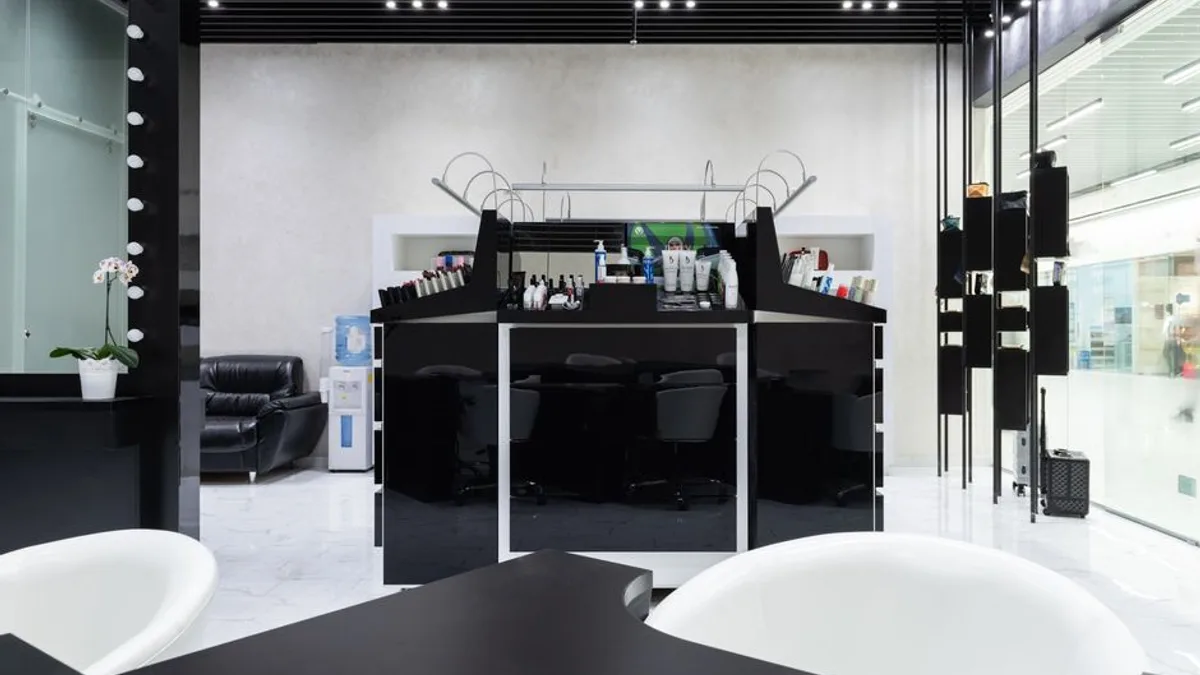
Photo by Max Vakhtbovych on Pexels
Most booking tools do one thing: fill open slots. That sounds like the job. It isn't.
The job is protecting the blocks that pay your rent. A 15-minute bang trim dropped into the middle of a 3-hour color appointment doesn't just annoy you. It breaks the appointment in half. You can't take a walk-in, you can't start the next client early, and you spend the back half of the day working around a gap you never agreed to.
Chairwarden is a booking app for booth renters and solo-suite stylists. It hides any slot that would split a protected long service. Clients booking online never see a time that would fragment your color block. Setup takes about two minutes: you tell it how long a quick service takes and how long a long one takes. That's the whole input.
Here's the full playbook, including the parts that have nothing to do with us.
The Real Job of Booking Software (It's Not Just Taking Bookings)
Every booking tool takes bookings. That's table stakes in 2026. The question is what it does when a short service and a long service are competing for the same afternoon.
Most tools will happily let a client book a 15-minute trim at 1:15pm when your color client is scheduled from 1:00 to 4:00. The software sees an open slot. You see a broken day. This is the same problem that turns a full calendar into a Swiss cheese calendar, and it's why a calendar that looks busy can still leave you short at the end of the month.
Chairwarden handles this with a rule, not a warning. It hides slots that would fragment a protected long service block. Two modes control how strict that rule is:
- Strict mode never allows fragmentation. If a short service would split a long block, that slot doesn't exist on your booking page.
- Relaxed mode allows a short service at the edges of a block when it wouldn't meaningfully fragment it. A quick trim right before your color appointment starts is fine. A quick trim in the middle is not.
You pick the mode. The software enforces it. Clients never see a time that would break your block, which means you never have to send the awkward "actually, can we move that" text again.
Google Calendar conflicts
There's a second kind of fragmentation that has nothing to do with services: your own life.
Chairwarden respects events synced from your connected Google Calendar. If you've blocked 2:00 to 3:00 for a school pickup or a doctor's visit, clients can't book over it. This sounds obvious. It is not. Plenty of booking tools sync your calendar one way, push appointments out, and treat your personal blocks as suggestions.
Two-way sync means the calendar you already use stays the source of truth for the time you're not available. That includes the blocks you set for yourself, not just the ones a client booked.
Why this matters more for booth renters
If you work in a multi-chair salon with a front desk, someone else absorbs the scheduling mess. A receptionist can catch the conflict. A manager can call the client back.
Booth renters and solo-suite stylists don't have that. You are the front desk. You are the reminder system. You are the person who notices at 8am that your day has a hole in the middle of it.
Software that doesn't respect your time boundaries creates more work, not less. You end up double-checking every booking, which defeats the point of letting clients book themselves. If you want a deeper look at how protected blocks work in practice, this guide on using protected calendar blocks without losing clients covers the day-to-day mechanics.
Free Tiers, Deposits, and the Math of No-Shows
Here's where most "free" booking tools fall apart. The free tier is a two-week trial with a credit card on file, and the features that actually protect you sit behind a paywall.
Chairwarden's Starter plan is not a trial. It's a working plan:
- Up to 15 bookings per month, forever
- No credit card required
- Calendar protection included from the first booking
- Stripe-based deposit and no-show protection
- Google Calendar sync
- Email reminders
That's a real booking flow. Someone can find your page, pick a time that doesn't break your day, pay a deposit, and get a reminder. You can run that on 15 clients a month without paying anything.
The honest math of a no-show
A no-show is not an annoyance. It's a direct hit to income. If your average service is $85 and you lose two a month, that's $170 gone with nothing to show for it.
A deposit doesn't guarantee someone shows up. Nobody can promise that. What a deposit changes is the incentive. When a client has $25 on the line, the cost of ghosting you goes up. And if they do ghost, you keep something for the time you held. That's not a full recovery, but it's better than zero.
The part people miss: deposit collection is included on the free plan. You don't have to upgrade to stop bleeding money on no-shows.
What the paid tier adds
The Individual plan costs $29/month, or $23/month if you pay annually. For that you get:
- Unlimited bookings
- 500 SMS reminders per month
- No percentage cut on card payments
- No hidden fees
The SMS allowance matters more than it sounds. Email reminders get ignored. A text two hours before an appointment gets read. If you're running a full book, 500 texts a month covers most solo stylists with room to spare.
The no-percentage-cut part matters just as much, and it's the thing to check on any tool you're evaluating. A 2.5% cut on card payments doesn't sound like much until you run the annual numbers. On $60,000 in card volume, that's $1,500 a year quietly leaving your account. Chairwarden states there's no percentage cut and no hidden fees. If you want to see how that compares across the category, this breakdown of what salon booking software costs and what to skip walks through the math.
Switching Is the Hard Part (And What to Look For)
Nobody switches booking software because they're bored. They switch because something broke, usually after a bad month. And then they don't switch, because moving client data sounds like a weekend of manual entry.
That's a fair fear. It's also the reason people stay on tools they've outgrown for years.
Chairwarden includes an import wizard on the paid tier. It pulls your client list from platforms like Vagaro, Square, GlossGenius, or Schedulicity and maps the existing data during onboarding. No manual rebuild. No retyping 200 client records from a spreadsheet.
The part that matters most: the wizard shows a preview before anything moves. You see exactly what's coming over, what mapped cleanly, and what didn't, before you commit. If something looks wrong, you stop. Nothing has changed yet. That single design choice removes most of the risk from a switch.
What setup actually looks like
Setup is about two minutes. You answer two questions that drive the whole protection rule:
- How long does a quick service take?
- How long does a long service take?
That's the core input. Everything else, the slot hiding, the fragmentation prevention, the Strict vs. Relaxed behavior, runs off those two numbers. You're not configuring a workflow engine. You're telling the software what a haircut costs you in time versus what a color appointment costs you in time.
Once that's set, you get a public booking page on your own link. Clients book from there. Google Calendar two-way sync and email reminders are included on every plan. SMS reminders are on the paid plan.
If you're coming from a tool that made you feel like you needed a manual to change your hours, this will feel different. For a broader look at what a real scheduling workflow should include, this piece on the workflow behind salon scheduling software is worth ten minutes.
What to Ignore When You're Comparing Tools
Most comparison articles hand you a feature grid and let you sort it. That's the wrong approach. Feature grids reward tools that list the most boxes, not tools that solve your problem.
Here's what to actually ignore, and what to look at instead.
| Ignore this | Look at this instead |
|---|---|
| Long feature lists with no mention of calendar protection | Whether the tool can stop a short service from splitting a long block |
| "All-in-one" claims built around a front desk | Whether it's built for a solo operator managing their own schedule |
| Percentage cuts on card payments presented as normal | Flat pricing with no per-transaction cut and no hidden fees |
| Pressure to upgrade before you have volume | What the free tier actually includes, and whether it's a trial or a plan |
| Migration described as "easy" with no detail | A preview step before data moves, so you can back out cleanly |
A few specifics on each:
Ignore feature lists that don't mention calendar protection. If a tool can't stop a short service from splitting a long block, it's not solving the problem that costs you money. It's solving the problem that costs the software company money, which is getting you to book more appointments regardless of whether they fit.
Ignore "all-in-one" claims that push you toward running a front desk. Chairwarden is built for booth renters and solo-suite stylists. It is not built for multi-chair salons with a front desk, and it doesn't pretend to be. If you have a receptionist, you need different software. If you are the receptionist, you need this.
Ignore percentage cuts on card payments. They add up quietly and they never stop. Chairwarden states there's no percentage cut on card payments and no hidden fees. Compare that line item specifically when you're pricing tools against each other. It's often the difference between a $29 plan and a $29 plan that actually costs $70.
Ignore pressure to upgrade before you need to. The free tier includes calendar protection, deposits, Google Calendar sync, and email reminders. You can run a real booking flow without paying a cent. If you're doing fewer than 15 bookings a month, there is no reason to hand over a card.
One more thing worth ignoring: the idea that you need to solve every problem with software. Some stylists run a hybrid, taking online bookings for standard services and handling complex color consultations by phone. That's fine. The tool should support the way you work, not force a workflow on you. If you want to see how other operators structure that, this guide to what a stylist actually needs from a booking app covers the trade-offs honestly.
The Short Version
The booking tool you use should protect the appointments that pay your bills, not just fill empty space on a grid.
A 15-minute trim in the middle of a 3-hour color block is a $200 problem dressed up as a $25 booking. Software that can't see the difference isn't doing its job. Chairwarden hides those slots, respects your Google Calendar, and gives you a real free plan to test it on: 15 bookings a month, deposits, calendar protection, no card required.
Setup takes two minutes. The import wizard previews your client data before anything moves. And the paid tier is $29/month flat, or $23/month annually, with 500 SMS reminders and no percentage cut on card payments.
You can start on the free plan and see whether your calendar holds up. No card, no pressure, no upgrade prompt you didn't ask for. If it protects your color blocks on the first booking, you'll know.
Frequently Asked Questions
Can I use salon appointment booking software on a free plan?
Yes. Chairwarden's free Starter plan includes up to 15 bookings per month forever, no credit card required. It includes calendar protection from the first booking, plus Stripe-based deposit and no-show protection, Google Calendar sync, and email reminders. If you book more than 15 clients a month, you'd look at the paid plan.
How does calendar protection stop short services from splitting long appointments?
You tell Chairwarden how long a quick service takes and how long a long one takes. Then it hides any online booking slot that would fragment a protected long service block. Strict mode never allows fragmentation. Relaxed mode allows a short service at the edges of a block if it wouldn't meaningfully fragment it.
Will the software respect my personal Google Calendar events?
Yes. Events synced from a connected Google Calendar are always respected. Clients cannot book over your personal calendar blocks. You connect your calendar, and the booking page only shows slots that don't conflict.
What does it cost and are there hidden fees?
The paid plan is $29/month or $23/month billed annually. It includes unlimited bookings and 500 SMS reminders per month. There is no percentage cut on card payments and no hidden fees. The free plan covers up to 15 bookings per month with no credit card required.
Can I move my client list from Vagaro or Square?
Yes. The paid plan includes an import wizard for platforms such as Vagaro, Square, GlossGenius, or Schedulicity. It maps your existing data during onboarding and shows a preview before anything moves. You don't have to rebuild your client list by hand.
On Chairwarden
Salon booking system
What a one-chair booking system has to do end to end, from the link you text to the deposit.
Read the full page