How to Move Your Clients to a New Booking App Without Losing a Single Appointment
By Laz · September 23, 2026
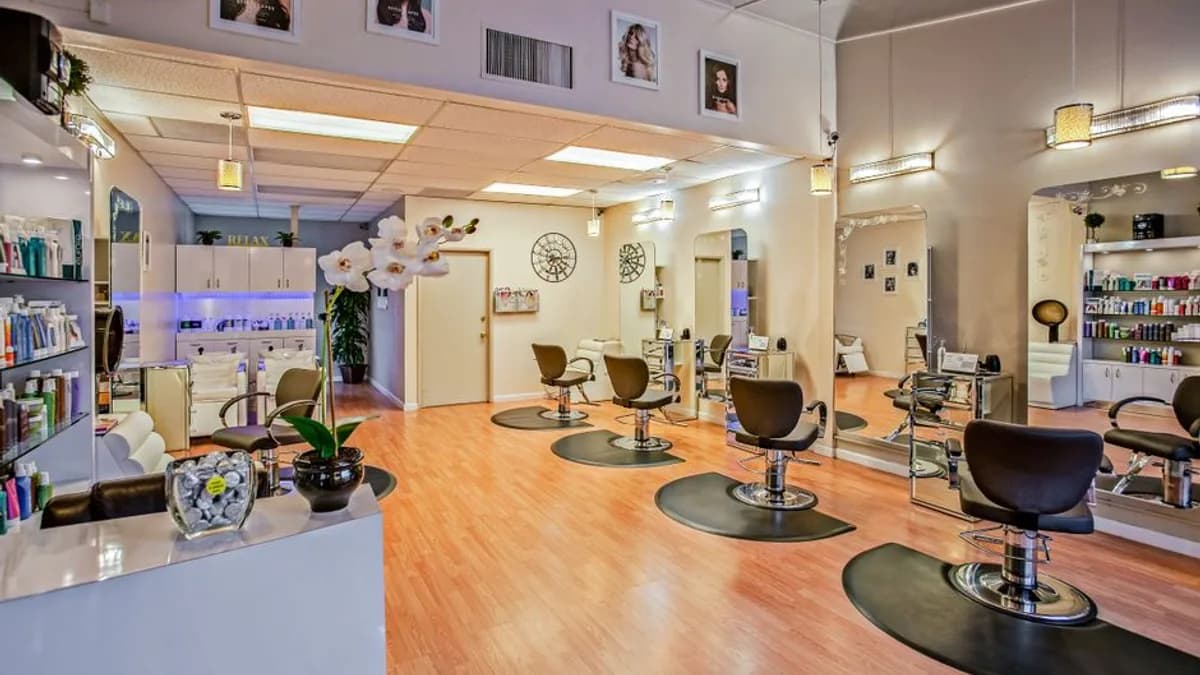
Photo by Delbeautybox on Pexels
Moving clients to a new booking app is mostly a communication job. The software part takes two minutes. The part that trips people up is the old links, the half-moved client list, and the regular who still texts you at 9pm because she never got the memo.
Here's the full playbook. Pick a quiet date two weeks out, configure everything before you flip the switch, move your client list with a preview, then turn off the old tool and chase down every link you've ever posted. Do that and the switch is boring. Boring is the goal.
Why the switch feels harder than it should
Most stylists worry clients will book with someone else if the process feels bumpy. That's not usually what happens. The real risk is gaps in communication and old links still floating around three months later.
A migration guide for booking systems says to export clients, appointment history, future bookings, services and prices, staff, and outstanding vouchers or packages before you switch. Miss one of those and you're rebuilding it by hand at 11pm.
Chairwarden's import wizard brings your client list from Vagaro, Square, GlossGenius, or Schedulicity with a preview before anything moves. That preview is your safety net. You see exactly what's coming over before you commit to it.
The goal is a quiet cutover, not a dramatic launch. You want clients to notice the new booking page only when they need it.
Pick a date and tell your clients early
Choose a cutover date at least two weeks out, and pick a quiet week. Not the week before a holiday, not your busiest stretch. That buffer is what lets you fix anything that breaks without a client staring at a dead link.
Communicate during the 2–1 weeks before cutover. Reassure clients that existing bookings will still be honored, and tell them exactly what changes. Payment details, booking flow, or both.
A simple text or email works:
Heads up, I'm switching booking systems on [date]. Your current appointments are safe. After that, book at [new link].
No jargon. No long explanation. If you want the longer version of how this plays out, we wrote about how to use protected calendar blocks without losing clients.
If you have regulars who always book by text, send them the new link personally. Those are the clients most likely to get confused by a new system, and they're the ones worth the extra 30 seconds.
Set up the new app before you flip the switch
Configure everything first. Services, staff hours, buffers, minimum notice, reminders, payment processing, branding, intake forms, and cancellation terms. Then test it as if it were live.
In Chairwarden, setup takes about two minutes. You tell it how long a quick service takes and how long a long one takes. That's the core of calendar protection. Short bookings can't fragment a long, high-value block, so clients booking online never see a slot that would split it.
Two modes to pick from:
- Strict mode never allows fragmentation. A short service can't break up a long block, period.
- Relaxed mode allows a short service at the edges of a block when it wouldn't meaningfully fragment it.
Pick the one that matches how you actually work. If your long appointments are your income, strict mode is the safer default.
Then run a test booking yourself. Book a quick service next to a long one and see what the public page shows. If a short booking would fragment a long block, it shouldn't appear as an option. If it does, your service durations need adjusting.
Move your data without double-booking yourself
Use the import wizard to bring your client list over. It supports Vagaro, Square, GlossGenius, and Schedulicity. You get a preview before anything moves.
Here's the order that prevents double-bookings:
- Export everything from the old tool. Clients, history, future bookings, services, prices, vouchers, packages.
- Keep that export as a backup, even after you've imported.
- Import your client list into the new system.
- Do not import future appointments yet.
That last point matters. Don't bring future appointments into the new system until you've turned off new bookings on the old one. Otherwise clients using both links will book you twice, and you'll be the one untangling it.
If you have outstanding packages or vouchers, note them manually. Most import tools don't carry those over cleanly, and you don't want to argue with a client about a prepaid service you can't find in either system.
If you're still comparing what different tools actually do with your data, our breakdown of what salon booking software costs and what to skip covers the gaps.
Turn off the old tool and update every link
On cutover day, turn off new bookings on the old tool. Don't delete it yet. You may need it for reference. Just stop new appointments from coming in.
Then update every place your booking link lives:
- Website
- Google Business Profile
- Instagram bio
- Facebook page
- Email signature
- Reminder emails
- Printed cards
Miss one and a client will find the dead link. Check your Google Business Profile first. That's where new clients often find you, and an old link there sends them to a booking page that no longer works.
If you use Chairwarden's public booking page, you get a link on your own domain. Put that link everywhere the old one was. Same length, same placement, no confusion.
What to say when a client asks why you switched
Keep it short and honest.
I switched to a system that protects my longer appointments so I can't get squeezed by a quick booking.
That's a real benefit, not a sales pitch. Clients understand protecting your time. They do it too.
If they ask about payment, tell them what changed. Chairwarden says there are no per-day double-booking fees, no surprise charges, and no percentage cut on card payments. No markup on Stripe either. If your old tool charged per-booking fees, this is a genuine upgrade worth mentioning.
For clients who liked the old system, remind them the new one still sends reminders. Email on the free tier, plus SMS on the Individual plan. The experience stays familiar.
Don't apologize for the switch. You're doing it to protect your time and your high-value blocks. Clients who value your work will follow a simple link.
The first month after cutover
Watch for clients who book the wrong service or pick a time that doesn't work. That's normal in the first few weeks. Fix it quietly and move on.
Check that calendar protection is working. On strict mode, a short service should never appear as a slot that splits a long block. If it does, adjust your service durations. Small tweaks here pay off fast. Our guide on the Swiss cheese calendar problem explains why those fragments cost more than they look like they do.
Chairwarden's free tier includes calendar protection from the first booking, up to 15 bookings per month, no credit card. If you're testing the switch, that's a low-risk way to start.
On the Individual plan, $29/mo or $23/mo billed annually, you get unlimited bookings and 500 SMS reminders per month. That's usually enough for a solo stylist.
After 30 days, review your no-show rate and your average appointment value. If long blocks are staying intact, the switch did its job.
The short version
Migration is a checklist, not a project. Export your data. Pick a quiet date two weeks out. Configure the new app fully before you touch the old one. Import your clients with a preview. Turn off the old tool. Update every link. Tell your regulars personally.
Do those eight things and nobody notices you switched. That's the point.
If you want to test the calendar protection piece before committing to anything, the free tier is the easiest way in. No credit card, 15 bookings a month, and you'll see how strict mode handles a short booking next to a long one. If it works the way you want, the Individual plan is $29/mo or $23/mo billed annually with unlimited bookings and 500 SMS reminders. If it doesn't, you've lost nothing.
Frequently Asked Questions
Will my clients lose their existing appointments when I switch booking apps?
No. Existing bookings should be honored. Communicate that clearly during the 2–1 weeks before cutover. If you're moving to a new system, keep your old tool active for existing appointments until they're done, or manually add them to the new system after you turn off new bookings on the old one.
How do I move my client list from Vagaro or Square to Chairwarden?
Chairwarden has an import wizard that brings your client list from Vagaro, Square, GlossGenius, or Schedulicity. You get a preview before anything moves, so you can check the data before committing. Export your client list from the old tool first as a backup.
What if a client books through my old link after I switch?
Turn off new bookings on the old tool on cutover day. Then update every link—website, Google Business Profile, Instagram bio, Facebook page, email signature, reminder emails, and printed cards. If someone still finds the old link, redirect them to your new booking page.
Do I need to tell clients about payment changes when I switch?
Yes, if payment details or booking flow changes. The migration guide says to give clear notice about what may change, such as payment details or booking flow [6]. Chairwarden has no percentage cut on card payments and no markup on Stripe, so if that's different from your old tool, mention it.
On Chairwarden
No-show protection
Deposits through your own Stripe account, and what happens when one is not paid.
Read the full page