Salon Check-In Apps: What They Actually Solve for Booth Renters
By Laz · September 17, 2026
Image by StockSnap on Pixabay
You're mid-color, gloves on, foils half in. Someone knocks. That's the check-in problem when you rent your chair.
There's no receptionist to greet them, no front desk to point at the coffee. It's you, or it waits. So a check-in app sounds like the obvious fix. The problem is that most of them were built for a different shop, and the one thing you actually need protected while you're unavailable, your calendar, is the thing they tend to ignore.
Here's what this article covers: how QR and kiosk check-in actually work in the wild, why check-in and booking have to share one calendar, what Chairwarden's calendar protection does about it, and what the free tier really includes. No pitch buried at the bottom. Just the full picture.
Why check-in is a different problem when you rent your chair
When you rent a booth or a solo suite, you run the front desk and the chair at the same time. That's not a scheduling inconvenience. It's the whole job. A client standing at the door while you're mid-color isn't a customer service moment, it's a decision: stop, or make them wait.
That's why check-in tools get pitched to people like you so hard. But look at how they're built.
Self-check-in is usually framed as a front-desk replacement, not a convenience feature. SmartSalon Check-In says clients can check in or make new bookings from a kiosk or tablet without a receptionist. SalonBiz lists automatic check-in, stylist notification, and contactless check-in as core benefits. The whole premise assumes there was a front desk to replace.
For a booth renter, the real job isn't greeting. It's protecting your calendar while you can't look at it. A check-in app that can't keep your booking page from splitting a long block just creates a new problem while solving an old one. You've moved the chaos from the door to the screen.
The mechanism that fixes this is simpler than it sounds. During a two-minute setup, you tell the app how long a quick service takes and how long a long one takes. That single input is what makes check-in and booking coexist without fragmenting your day. If a tool can't take that input, it can't protect anything.
QR codes, kiosks, and the check-in flows that actually get used
There are really only two check-in patterns that show up in salons, and both have been around long enough to know what works.
QR code check-in is the most common in-salon flow. Vagaro states clients can check themselves in for classes, appointments, and events with a QR code, and providers get notified by text or push when the client arrives. Client scans, you get a ping, you keep working. That's the whole value.
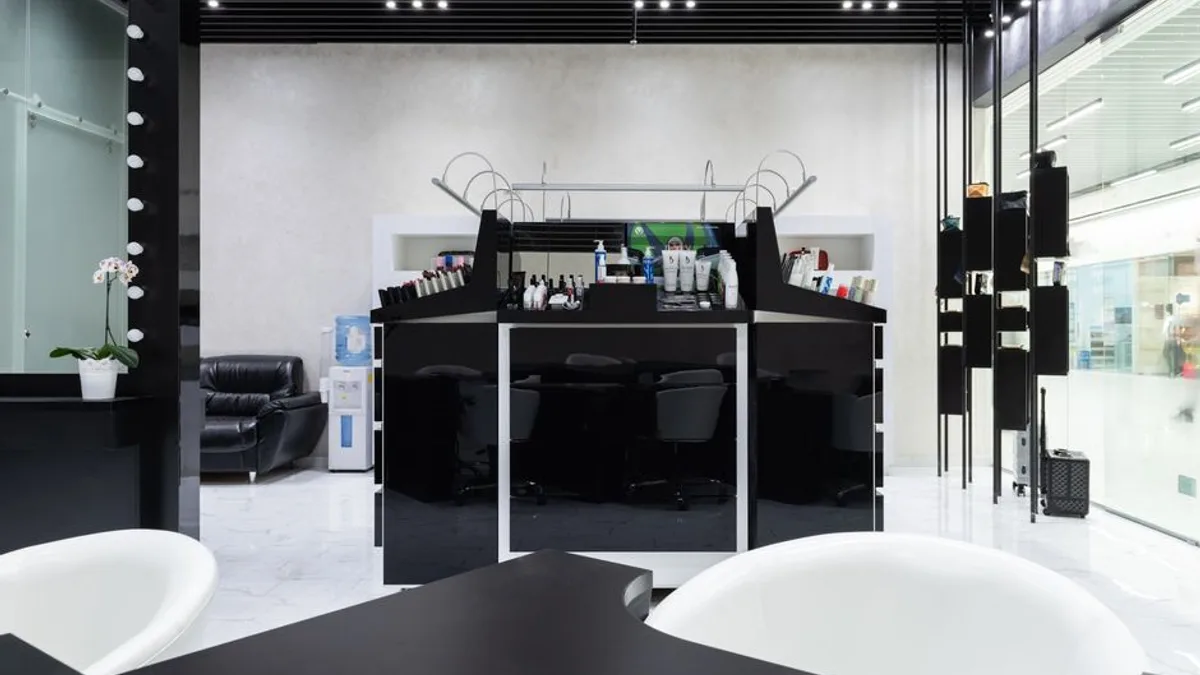
Kiosk and tablet flows serve the same function for walk-in-heavy shops. SmartSalon Check-In says clients can check in or make new bookings from a kiosk or tablet without a receptionist. Mount a tablet, let people tap in, done.
Some tools go further. Great Clips' app shows estimated wait times based on current salon conditions and sends a text alert when the wait reaches 15 minutes. That's the bar clients now expect, even in a one-chair suite. They want to know where they stand without asking you.
Notice the pattern across all of these. The value is the notification, not the greeting. SalonBiz highlights automatic check-in, stylist notification, and contactless check-in as core benefits. The greeting was never the hard part. Knowing a client arrived while your hands are full is the hard part.
Before you pick any of them, check one thing: does check-in write back to the same calendar your bookings live on? If check-in and booking live in two different systems, you're maintaining both, and double-booking is a matter of time. For a deeper look at what separates a real booking tool from a pretty interface, see Salon Booking App: What a Stylist Actually Needs (and What to Skip).
The calendar problem check-in apps usually ignore
Here's the scenario that breaks most setups.
A 15-minute bang trim gets booked online. It lands in the middle of your 3-hour color block. Now your color appointment is split into two unusable gaps, and neither one is long enough to fit anything else. You've lost the block and gained nothing.
That's the fragmentation problem. Most check-in apps don't address it, because check-in isn't where it happens. Booking is. By the time a client checks in, the damage is already done.
Calendar protection prevents a short service from being booked into a slot that would split a protected long block. In strict mode, fragmentation never happens. The slot simply isn't offered to the client. They see a shorter list of times, but every time on that list actually works for you.
Relaxed mode makes a trade-off. It allows a short service at the edges of a block when it wouldn't meaningfully fragment it. So a bang trim at 9:00 before a 10:00 color is fine. A bang trim at 10:45 in the middle of that color is not. That's a real trade-off, not a marketing line, and you pick which mode fits how you work. If you want to go deeper on how to set those blocks up, How to Use Protected Calendar Blocks as a Stylist (Without Losing Clients) walks through it.
Your personal calendar matters too. Google Calendar events are always respected, and you can never be double-booked over your personal calendar. If you're juggling school pickup or a second location, that's the difference between a tool and a liability. It's also why check-in and booking should share one calendar. Check-in without calendar protection just moves the chaos to a different screen.
What it costs, and what the free tier actually includes
Most free tiers in this category are a demo with a paywall behind it. This one isn't.
Chairwarden's free Starter plan includes calendar protection, Stripe-based deposit and no-show protection, Google Calendar sync, and email reminders. That's not basic booking. That's the whole protective layer.
- No credit card required
- Up to 15 bookings per month
- Calendar protection included from the first booking
If you take 15 or fewer bookings a month, you may never need to pay. That's worth saying plainly, because the free tier isn't a trial.
The Individual plan is $29/mo, or $23/mo billed annually. That gets you unlimited bookings and 500 SMS reminders per month. It also includes a public booking page on your own link, Google Calendar two-way sync, and email reminders. SMS is on Individual, not Starter.
Switching mid-year is the part people dread. The import wizard brings your client list from Vagaro, Square, GlossGenius, or Schedulicity, with a preview before anything moves. If you've got 200 clients sitting in another system, that preview is the difference between a clean migration and a week of manual cleanup. If you want the fuller cost picture before committing, Salon Booking Software: What It Costs, What It Does, and What to Skip breaks it down.
One note on money claims. The $1,083/mo figure floating around is a calculation based on stated assumptions, not a promise. That's true of every revenue number you'll see in this industry. Treat it that way.
Here's the comparison in one place:
| Starter (Free) | Individual | |
|---|---|---|
| Price | $0 | $29/mo, or $23/mo annually |
| Credit card required | No | Yes |
| Bookings | Up to 15/mo | Unlimited |
| Calendar protection | Included | Included |
| Google Calendar sync | Included | Two-way |
| Email reminders | Included | Included |
| SMS reminders | Not included | 500/mo |
| Deposit / no-show protection | Included (Stripe) | Included (Stripe) |
| Public booking page | Not listed | Included on your own link |
| Import wizard | Yes | Yes |
Choosing without overbuilding
The instinct when you go independent is to buy the biggest tool you can afford, because you're now running a business. Resist it. Buy the smallest thing that protects your calendar, then grow into more only when you feel the gap.
Start with the free tier if you take 15 or fewer bookings a month. Calendar protection, deposits, Google sync, and email reminders cover check-in-adjacent needs. You don't need a kiosk. You need your 3-hour block to stay a 3-hour block.
If you're solo and busy, SMS reminders are the upgrade that matters most. Text reminders reduce no-shows in a way email alone does not, and Individual includes 500 per month. That's the upgrade to make first, not the flashiest one.
Don't buy a front-desk replacement if you don't have a front desk. The research shows kiosk and self-check-in tools are built for high walk-in or multi-staff environments. A solo suite needs calendar integrity more than a tablet stand. A tablet on a wall in a one-chair room is just a tablet on a wall.
Test the import wizard before you commit. A preview that shows exactly what moves is the difference between a clean migration and a week of manual cleanup. Do it on a slow Tuesday, not the day before a full book.
And one question to ask any vendor, including this one: what happens when a client books a 15-minute service into the middle of my 3-hour block? If there's no answer, keep looking.
The bottom line
Check-in is a real problem when you rent your chair. But it's the second problem. The first problem is your calendar, and no check-in app fixes that if the booking side isn't built to protect it.
Get the calendar right, then layer check-in on top. Short services can't split long blocks, your Google Calendar is respected, and your booking page only shows times that actually work for you. Everything else is convenience.
If you want to see whether it holds up for how you work, the free tier is the honest test. No card, up to 15 bookings a month, calendar protection from the first one. Set it up in two minutes and watch what your booking page does the next time someone tries to book a trim in the middle of a color.
Frequently Asked Questions
Do I need a check-in app if I'm a solo booth renter?
Probably not a full kiosk system. You need booking and calendar protection more than a tablet stand. Chairwarden's free tier includes calendar protection, Stripe deposits, Google Calendar sync, and email reminders for up to 15 bookings a month.
How does QR code check-in work in a salon?
Clients scan a code to mark themselves arrived. Vagaro says clients can check themselves in for classes, appointments, and events with a QR code, and providers get notified by text or push. The stylist notification is the actual value.
Can a check-in app stop short services from splitting my long appointments?
Only if it is built to. Chairwarden's calendar protection prevents a short service from being booked into a slot that would split a protected long block. Strict mode never allows it. Relaxed mode allows a short service at the edges when it would not meaningfully fragment the block.
Will a booking app double-book over my personal Google Calendar?
It should not. Chairwarden states Google Calendar events are always respected and you can never be double-booked over your personal calendar. Verify this before choosing any tool.
On Chairwarden
Salon booking system
What a one-chair booking system has to do end to end, from the link you text to the deposit.
Read the full page