Salon Tools That Actually Protect Your Calendar: A Practical Guide
By Laz · August 21, 2026

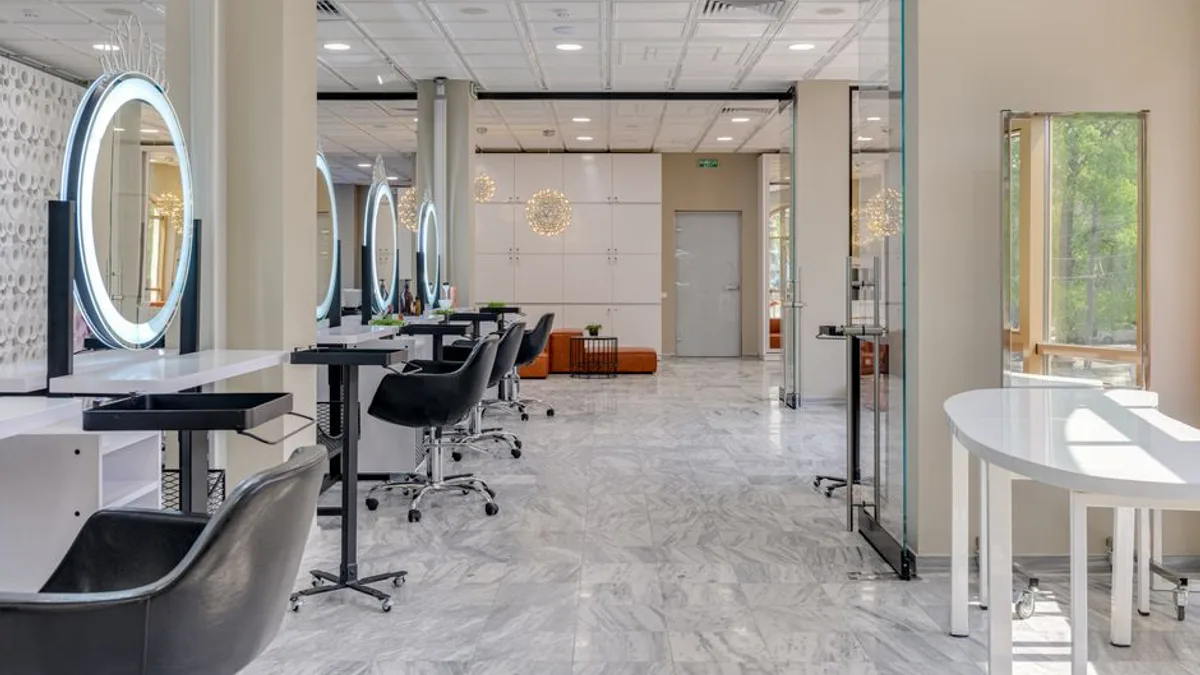
Photo by RDNE Stock project on Pexels
Most salon software is built to fill your calendar. That sounds like the point, right?
It's not. A full calendar can still be a broken one. The real problem isn't empty slots. It's the wrong booking landing in the wrong slot.
A 15-minute brow wax gets booked at 2:00 PM, right in the middle of a 3-hour color appointment you already have on the books. Now you rush the color, make the wax client wait, or scramble to find a gap that doesn't exist. The software that booked that wax did its job. It filled a slot. It just didn't care that it wrecked your afternoon.
That's the difference between booking software and scheduling software that protects your day. Most tools handle the first one. Very few handle the second.
We built Chairwarden to solve exactly this. From day one, it stops short services from being booked into the middle of long appointments. No micromanaging. No manual blocking. The calendar enforces the logic for you.
Before you pay for any tool, ask one question: does it stop the booking that hurts your day, or does it just record it?
What Makes a Salon Tool Worth Your Time
Let's be specific about what "calendar protection" means. It's not a buzzword. It's a mechanical feature.
When a client tries to book a quick service like an eyebrow wax or a blowout, the software checks the existing schedule. If that 15-minute service would land inside a 3-hour color block, the booking doesn't happen. The client sees that time is unavailable and picks another slot.
That's it. That's the whole feature. But it's the difference between a day that flows and a day where you're constantly apologizing.
Most salon software doesn't do this. They give you buffer times and settings menus. You're supposed to configure the logic yourself. That works if you're a tech-savvy salon owner with an hour to spare. Most of us aren't. We're cutting hair or doing nails.
We built Chairwarden around this one feature because it's the thing that protects your revenue. A no-show is a lost appointment. But a double-booking that forces you to rush a $300 color service is a lost client. That's worse. That client doesn't come back.
If you want to understand the broader landscape of what salon software should do beyond just booking, our post on what actually matters beyond booking covers the territory in more depth.
The short version: a tool that fills slots is table stakes. A tool that protects your high-value time is the one worth paying for.
The 2-Minute Setup That Changes Everything
Here's where most salon software loses people. You sign up, then spend an afternoon configuring it. Buffer times. Service durations. Availability windows. Holiday closures. Staff permissions. It's a part-time job just to get started.
We took the opposite approach. Chairwarden's setup is a 2-minute configuration.
You tell it two things. How long does a quick service take? How long does a long service take? That's it. The software then enforces that logic automatically. There's no traditional buffer-time settings menu to wade through.
Why does this matter? Because the faster you get set up, the faster you stop losing money to scheduling conflicts. Every day you spend configuring software is a day you're still running on a broken calendar.
We built it so you can be live in the time it takes to make a coffee. Literally. Sign up, enter two numbers, start taking bookings.
If a tool takes more than 20 minutes to set up, ask why. Simple tools respect your time. Complicated tools are usually complicated because they're trying to do too much, and most of that "too much" isn't what you need.
This philosophy extends beyond setup. It's in how the whole system works. You shouldn't have to think about calendar protection. It should just happen. That's what we built.
For a deeper look at how protected blocks can work for stylists without scaring off clients, this guide on protected calendar blocks as a stylist walks through the real-world workflow.
Free Plans, Flat Prices, and No Hidden Cuts
Let's talk about money, because that's where salon software gets sneaky.
Free plans in this industry are usually demos in disguise. They give you a week or a month, then cut you off. Or they let you book appointments but hide the features you actually need behind a paywall.
Chairwarden's free plan is different. It's free forever up to 15 bookings per month. And calendar protection is included on that free tier.
That's not a teaser. It's a real plan for a solo stylist who does a handful of appointments a week. If you're just starting out or you're in a slow month, you don't pay anything.
When you outgrow that, the paid pricing is a flat subscription. $19/month, or $15/month if you pay annually. No percentage cut. No per-day double-booking fees. No surprise charges when you actually use the software.
That flat fee matters because many salon tools take a slice of every transaction. If you're processing $5,000 a month through your booking system, a 2% cut is $100. That adds up fast. A flat fee is predictable. You know exactly what you're paying, and it doesn't grow just because you're successful.
Here's a quick comparison of how that stacks up against the typical pricing models you'll see:
| Pricing Model | Typical Cost | What You Actually Pay |
|---|---|---|
| Percentage of transactions | 2-4% per booking | Grows with your revenue, forever |
| Per-appointment fee | $0.50-$2 per booking | Punishes high volume |
| Flat monthly (Chairwarden) | $15-$19/month | Stays the same, no matter what |
When you compare tools, check the fine print. Some charge extra for deposits. Some charge for no-show protection. Some charge for calendar features. We include all of that in the base price.
If you're looking at the broader cost picture of running a salon suite, including rent and other expenses, our salon suite pricing guide breaks down what the full picture looks like.
Deposits, No-Shows, and the Stripe Connection
No-shows are the silent killer of salon revenue. You hold a slot for a client who doesn't show up. That's not just lost time. It's a slot you could have sold to someone else.
Deposits fix this, but only if the software supports them. Chairwarden has deposit and no-show protection built in, and it's handled through Stripe.
Here's how it works in practice. A client books an appointment. At the time of booking, they put down a deposit. If they cancel at the last minute or just don't show up, you keep the deposit. That's your compensation for the slot they wasted.
Stripe handles the payment processing, so you don't need a separate merchant account. You don't need to set up a payment gateway. You don't need to reconcile payments manually. It's all connected.
This is not an add-on feature we bolted on later. It's part of the calendar protection philosophy. You secure the appointment before it becomes a hole in your day. Calendar protection prevents bad bookings from happening in the first place. Deposits ensure that when a client does cancel, you're not left empty-handed.
If a tool doesn't support deposits, you'll keep losing money to no-shows. It's that simple. You can have the best calendar in the world, but if a client can cancel for free at the last minute, your calendar still has holes.
For a broader look at what salon booking software actually costs and what to skip, this practical breakdown covers the landscape.
Switching Tools Without Losing Your Clients
Switching salon software is a pain. Nobody looks forward to it. You worry about losing client data, appointment history, and your sanity during the migration process.
We get it. That's why the paid plan includes an import wizard for bringing in client lists from tools like Vagaro and Square. You don't have to re-enter everything by hand.
The import process is straightforward. You export your client list from your current tool, upload it to Chairwarden, and the wizard handles the rest. Names, contact info, appointment history. It all comes over.
The paid plan also includes a stats dashboard. It covers revenue, utilization, and top services. That data helps you see which services are worth promoting and where your time actually goes.
This matters more than most people think. If you don't know which services are your top revenue drivers, you can't make good decisions about what to promote. If you don't know your utilization rate, you don't know if you're actually busy or just filling time with low-value appointments.
Here's what to look for when you're evaluating a switch:
- Does the new tool offer migration help? A good import process saves hours and prevents data loss.
- Does it give you analytics? If you can't see your numbers, you're flying blind.
- Does the free plan actually work, or is it a trial? A real free plan lets you test without commitment.
If you're not sure how to evaluate the broader options, our guide on salon suite booking software for 2026 compares the major players and what they actually deliver.
The Bottom Line
Most salon software is built by people who have never run a salon. They build features that sound good in a demo but fall apart in real life. They make you configure everything. They charge you per transaction. They don't protect your time.
We built Chairwarden because we saw the same problem over and over. A stylist with a full calendar and an empty bank account. A day that looks busy on paper but produces nothing but stress.
Calendar protection is the feature that fixes this. It's not glamorous. It's not a flashy dashboard. But it's the difference between a calendar that works for you and one that works against you.
The setup takes 2 minutes. The free plan is actually free. The pricing is flat and predictable. Deposits and no-show protection are built in. And when you're ready to switch, the import wizard makes it painless.
If you're tired of fighting your calendar, try it. Sign up for the free plan. Book 15 appointments. See what it feels like to have a calendar that doesn't let bad bookings happen in the first place.
You can set it up in the time it takes to make a coffee. That's the whole point.
Frequently Asked Questions
What is a salon tool?
A salon tool is software that helps you manage appointments, clients, and payments. The best ones also protect your calendar from double bookings and no-shows.
How do I prevent double bookings in my salon?
Use software with calendar protection. Chairwarden automatically blocks short services from being booked into long appointment slots, so you don’t have to watch the calendar manually.
Is there free salon software that actually works?
Yes. Chairwarden’s free plan is free forever up to 15 bookings per month and includes calendar protection, not just a trial.
How much does salon software cost?
Prices vary. Chairwarden charges a flat $19/month or $15/month billed annually, with no percentage cut. Some tools charge per transaction or add fees for features like deposits.
On Chairwarden
No-show protection
Deposits through your own Stripe account, and what happens when one is not paid.
Read the full page